Cyber Crime
Beyond the Code: How MFA Fatigue and Session Hijacking Bypass Modern Authentication
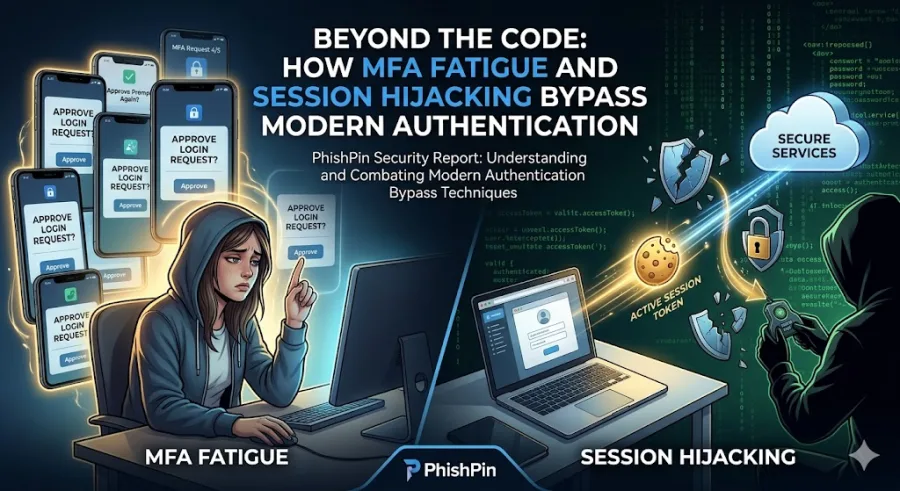
But cybercriminals have adapted. Instead of trying to crack complex cryptographic keys or guess passwords, they are exploiting human psychology and browser mechanics to render modern MFA useless. Through coordinated MFA Fatigue attacks and Session Hijacking, attackers are sliding into secure corporate networks without ever needing to guess a single verification code.
To keep your organizational data secure, you must understand how these modern bypass techniques work and how to upgrade your authentication strategy to withstand them.
The Psychology of MFA Fatigue (Prompt Bombing)
MFA Fatigue, also known as prompt bombing, relies on a simple truth: humans get annoyed by repetitive digital interruptions.
When an attacker compromises an employee’s corporate password (often sourced from a public data breach or a basic phishing page), they cannot log in because they trigger an MFA push notification on the employee's smartphone. Instead of giving up, the attacker programs a script to flood the employee's phone with dozens of consecutive approval requests in the middle of the night or during a busy workday.
Eventually, due to sheer frustration, distraction, or accidental touch, the exhausted employee taps "Approve" just to make the notifications stop. The moment they do, the attacker is granted full access to the corporate network.
The Technical Trap: Session Hijacking and Cookie Theft
While MFA fatigue targets human patience, Session Hijacking targets browser architecture. This technique completely skips the login process by stealing what happens after a user successfully authenticates.
When you log into a corporate platform and check the box to "Stay logged in," your web browser stores a small piece of data called a session cookie. This cookie acts like a digital handstamp, telling the cloud application that you have already proven your identity and passed all MFA checks.
Cybercriminals use specialized, low-cost malware known as Infostealers—often hidden inside fake software updates, malicious email attachments, or cracked utility tools—to silently scrape these session cookies directly from an employee’s browser memory. The attacker then imports that stolen cookie into their own browser. Because the application sees a "valid handstamp," it grants the attacker immediate access to the account, completely bypassing the username, password, and MFA prompt entirely.
Crucial Red Flags of Authentication Exploitation
To protect corporate infrastructure, security operations teams and employees need to watch out for specific behavioral and systemic anomalies:
Unsolicited Push Notifications: Receiving an MFA approval prompt on your mobile device when you are not actively attempting to log into a corporate service.
Geographic Login Discrepancies: System logs showing a user account successfully authenticating from two entirely different countries or IP addresses within a matter of minutes.
Sudden Session Expirations: Being abruptly kicked out of an active corporate application and forced to re-authenticate, which can sometimes indicate that a duplicate session has been initialized elsewhere.
The Rule of Threat Elevation: Treat any unexpected or repetitive MFA prompt as an active security breach. Never tap approve to clear your screen. Deny the request immediately and report it to your security operations team.
Hardening Identity Access Management with PhishPin
Defending against identity-based bypass attacks requires shifting from passive verification to context-aware, deterministic security.
Transition to Number Matching: Upgrade your identity provider configurations from basic "Approve/Deny" push notifications to Number Matching. This framework requires the user to look at the login screen and manually type a specific two-digit number into their mobile authentication app, instantly neutralizing automated MFA fatigue scripts.
Implement Context-Aware Access Policies: Configure your access controls to evaluate contextual signals beyond just a valid cookie. Restrict access based on device compliance, unrecognized IP ranges, and impossible travel scenarios.
Deploy Continuous Behavioral Simulations: Use PhishPin to train your workforce against modern identity threats. By simulating complex, multi-stage credential and session attacks, you ensure your employees know exactly how to handle high-pressure authentication scenarios before an actual breach occurs.